SharePoint digital workplace sites for 4,000+ stores and 12,000 staff
As Web and SEO Specialist at Knowledge Experts, I supported the team building SharePoint digital workplace sites for SOK Market and Aras Kargo. Here is what that work involves, and what it taught me about findability.
By Baver Ok · · 3 min read · Team work at Knowledge Experts, 2024 to 2026
SOK Market Aras Kargo4,000+ stores, 12,000 staff
Not every website is public. Some of the busiest sites a company runs are internal: the digital workplace, where employees find procedures, news, forms and the tools they use every day. From 2024 to 2026 I worked as Web and SEO Specialist at Knowledge Experts, where I supported the team building SharePoint digital workplace sites for two large organizations.
This was team work. I was part of the team, not the lead on these builds, and the details of internal systems are not mine to publish. What I can describe is the scale, the kind of work involved and what it taught me.
Two large organizations, two different needs
For SOK Market, a retail chain with more than 4,000 stores, the digital workplace had to connect to the systems the company already runs, including ERP and point-of-sale integration. For Aras Kargo, a logistics company, the work included an application gallery for 12,000 staff: one place where employees can find and open the applications they need.
Both projects share the core challenge of any large intranet. The information exists; the question is whether people can find it quickly, from a store floor or a depot, on whatever device they have.
What a SharePoint digital workplace involves
Microsoft SharePoint is widely used for company intranets because it sits inside the Microsoft 365 environment many organizations already use. A digital workplace built on it usually brings together a few things.
Structure
A clear set of sites and pages, organized around how employees think about their work rather than how the org chart looks. This is information architecture, and it decides almost everything else.
Integration
Links to the systems people already use, so the intranet becomes the front door instead of yet another place to check. For a retailer that can mean ERP and point-of-sale data; for a logistics company, a gallery of the internal applications staff rely on.
Findability
Navigation, page titles, metadata and search that work together, so an employee who types a question gets the right page first.
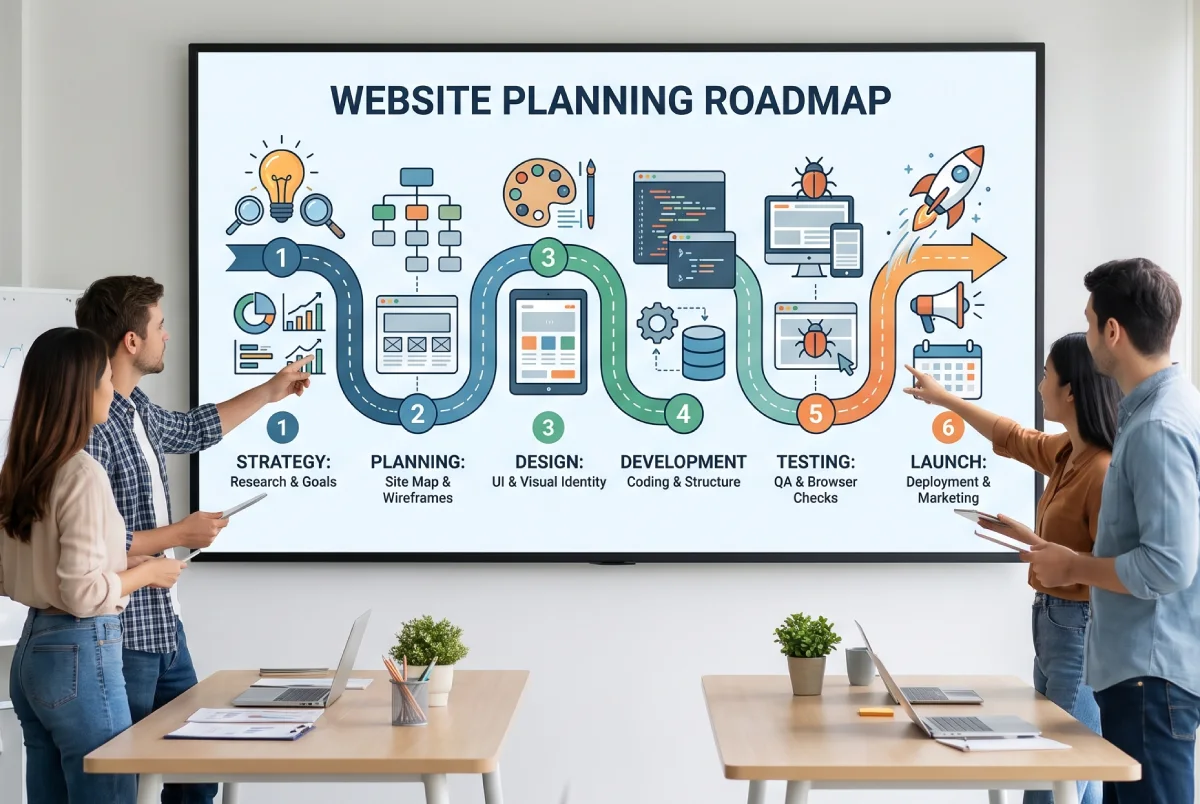
Illustration: on large sites, the structure is planned before a single page is built.
What intranets teach about SEO
Working on internal sites sharpened how I think about public websites. An intranet search box and Google face the same problem: matching what someone types to the page that answers it. The same basics decide whether it works.
Clear page titles that use the words people actually search with, not internal jargon. One page per topic, rather than the same information spread over five. Consistent structure, so pages are easy to read and easy to index. And maintenance, because an intranet full of outdated pages loses trust just as quickly as a public site does.
In other words, findability is findability, whether the searcher is a customer on Google, a buyer asking an AI assistant, or an employee looking for a form.
Search inside SharePoint also depends on the same signals as web search: page titles, headings, metadata and how pages link to each other. A well-structured site gives the search box something to work with; a messy one returns twenty results that all look alike.
Problems I look for on any large site
Whether it is an intranet or a public website with hundreds of pages, the same problems come back. The first is duplication: the same information on several pages, each slightly different, so nobody knows which one is current. The second is naming: pages called after a department or an internal project instead of what the reader is looking for. The third is dead ends: pages that answer a question but do not lead anywhere next.
The fourth is mobile. Store staff and depot workers rarely sit at a desk, and neither do most visitors to a small business website. If the important pages are hard to use on a phone, people give up. The last is ownership: pages without a clear owner slowly go out of date. Each of these can be fixed, and fixing them usually does more for findability than adding new content.
Bringing that experience to your website
Most of my clients do not need a digital workplace for thousands of employees. What they do benefit from is the discipline that large projects demand: a structure planned before the content, pages named for the people who use them, and integrations that make the website part of how the business runs.
I work with businesses around Antwerp and across Belgium on WordPress sites, SEO and AI search visibility, and I bring that same way of thinking. If your website has grown without a plan and visitors struggle to find things, that is exactly what a free site check is for.
PupSmart is my own Android app on Google Play for tracking a dog's potty, meals, sleep and training, with AI-assisted features. What shipping a product end to end taught me about building websites that work.
How I built mirook.com for a Belgian youth chess champion and made it readable for Google and AI assistants: structured data, knowledge-graph markup, an llms.txt file and repeated SEO and GEO audits.